Key Takeaways
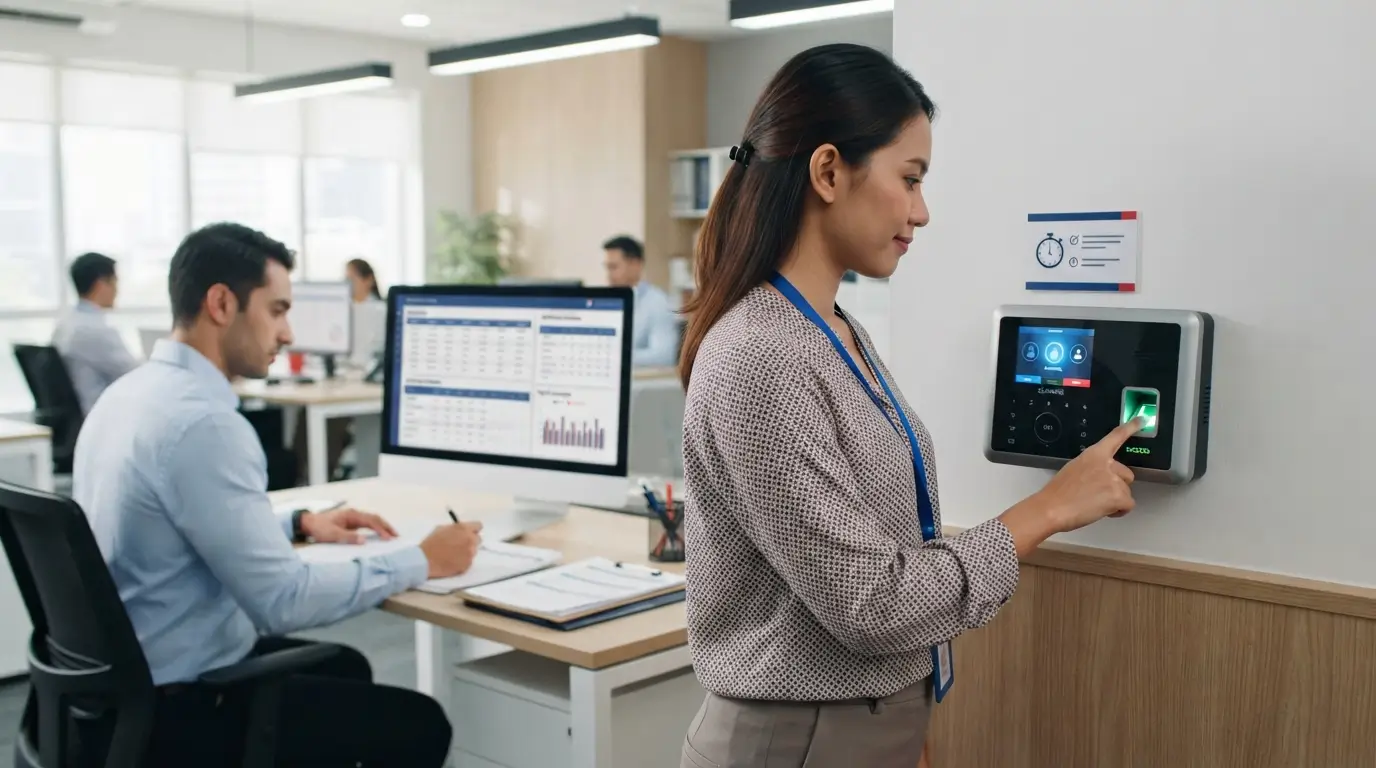
- A thumbprint machine uses fingerprint verification to identify employees and record their clock-in and clock-out times.
- Attendance records can help HR monitor working hours, lateness, early departures, overtime, shifts, and recurring attendance patterns.
- When connected with an HRMS or payroll system, attendance data can support more structured payroll preparation and reduce repetitive manual data entry.
- A thumbprint machine provides attendance data, but HR still needs to review exceptions, maintain proper records, manage employee issues consistently, and handle biometric information responsibly.
Employee attendance can quickly become an HR problem when records are incomplete, working hours are difficult to verify, or repeated lateness and overtime require manual checking.
For SMEs with limited HR manpower, these issues can also affect payroll preparation, employee documentation, and day-to-day staff management.
A thumbprint machine is a biometric attendance device that uses an employee’s fingerprint to verify identity and record clock-in and clock-out activity.
However, its practical value to HR goes beyond recording arrival and departure times.
When used as part of a structured attendance process, the data can support working-hour tracking, lateness and overtime review, shift management, attendance reporting, and integration with HRMS or payroll workflows.
Hire us!
Elevate your business with tailored HR solutions, including compliance, talent acquisition, culture building, and streamlined processes. Unlock success today!

For employers, the important question is therefore not simply whether a thumbprint machine can record attendance, but how its functions can support more organised HR administration while still requiring proper human review, documentation, and employee-management processes.
This is particularly relevant to MUSTRE’s SME audience, where attendance, payroll accuracy, leave management, employee discipline, and HR administration are recurring operational concerns.
What Is a Thumbprint Machine and How Does It Work?
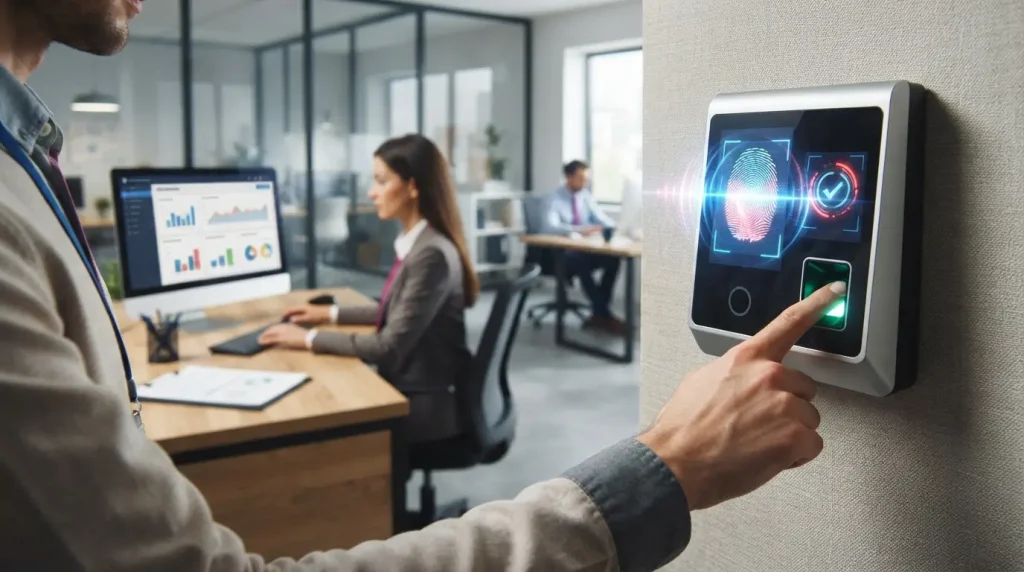
A thumbprint machine is a biometric device used to identify an employee through a registered fingerprint and record attendance activity such as clocking in and clocking out.
Fingerprint attendance systems capture an individual’s fingerprint pattern for identification, while the connected attendance system records the employee’s clocking activity.
For HR teams, the machine itself is only one part of the process.
The practical value comes from what happens to the attendance data after an employee verifies their identity.
Depending on the system used, clocking data may feed into attendance software where working hours, lateness, overtime, schedules and reports can be processed.
Some systems can then pass the processed information into HRMS or payroll workflows.
Businesses that want a broader explanation of biometric attendance can also read MUSTRE’s guide to thumbprint attendance.
How Does Fingerprint Verification Identify an Employee?
Employees normally enrol their fingerprint in the system before using the machine.
When they later place a finger on the reader, the system uses the registered biometric information to verify their identity before accepting the attendance transaction.
Worksy describes fingerprint attendance as using unique fingertip patterns for identification, while Info-Tech’s biometric devices support fingerprint verification alongside other methods such as cards and passwords.
The purpose is therefore different from a traditional punch card that can simply be physically handled by another person.
With biometric verification, the attendance transaction is tied more closely to the individual who is actually presenting the registered fingerprint.
What Happens When an Employee Clocks In or Out?
Once verification succeeds, a connected attendance system can record the clocking event together with information such as the date and time.
Magnet, for example, describes its fingerprint attendance setup as recording each clock-in and clock-out event with its date and time, while Info-Tech describes biometric clocking records being synchronised to its HR system.
That raw clocking record becomes the starting point for the HR functions discussed below.
1. How Does a Thumbprint Machine Record Employee Clock-In and Clock-Out?
The most basic function of a thumbprint machine is to establish who clocked in or out and when. For an SME, this replaces the need to rely entirely on handwritten attendance sheets, punch cards or manually maintained spreadsheets.
However, HR should distinguish between a clocking record and a complete attendance assessment.
A recorded scan may show that an employee clocked in at a particular time, but HR may still need the employee’s assigned shift, approved leave, authorised overtime or other workplace information to understand whether that clocking was normal or an exception.
What Attendance Information Is Recorded?
The exact information depends on the device and software, but attendance systems commonly work with:
- employee identity;
- clock-in and clock-out events;
- date and time;
- assigned work schedules;
- working hours;
- lateness;
- absence;
- overtime; and
- attendance reports.
Rockbell, for example, describes monitoring clock-ins, clock-outs, lateness, absence and overtime, while Info-Tech states that its connected HR system calculates working hours, overtime and lateness from clocking information.
Why Do Clear Clocking Records Matter to HR?
Attendance records give HR a more structured starting point when reviewing staff attendance.
This matters particularly when employers need to investigate repeated lateness, absence or inconsistencies rather than relying only on memory or informal conversations.
MUSTRE has identified employer uncertainty around handling repeated lateness, absenteeism and breaches of company rules as a recurring staff-management concern.
Attendance records can provide useful factual context, but the existence of a record does not automatically determine what disciplinary response is appropriate.
Employers still need a documented and consistent HR process.
2. How Can a Thumbprint Machine Improve Employee Attendance Accuracy?
A thumbprint machine can make attendance identification more reliable because the employee must normally verify a registered fingerprint rather than simply present a transferable attendance card.
Biometric systems are designed around individual identification.
Worksy describes fingerprint systems as capturing unique fingertip patterns, while Magnet explains that its fingerprint reader recognises the registered individual’s fingerprint before recording the clocking event.
This does not mean every attendance record is automatically correct.
A device may still encounter failed scans, an employee may forget to clock, a schedule may be configured incorrectly, or an approved attendance exception may not yet be reflected in the system.
HR oversight remains necessary.
How Can Fingerprint Verification Reduce Buddy Punching?
Buddy punching occurs when one employee records attendance on behalf of another employee.
Fingerprint verification can make this practice more difficult because a registered biometric credential is tied to the individual rather than to a physical card that can simply be passed to a colleague.
Magnet and eSoft both identify buddy punching as a problem addressed by fingerprint verification.
The safer HR position is to say that biometric attendance reduces the opportunity for buddy punching, not that it guarantees the practice can never occur.
What Should HR Do When an Attendance Record Needs Verification?
An attendance exception should be investigated rather than automatically treated as misconduct.
HR may need to compare:
- the raw clocking record;
- the employee’s assigned schedule;
- approved leave;
- authorised overtime;
- supervisor information; or
- other relevant internal documentation.
This is especially important because attendance technology supplies data; it does not independently understand the full circumstances behind every late clock-in, missed scan or unusual working pattern.
3. How Does a Thumbprint Machine Track Working Hours, Lateness and Overtime?
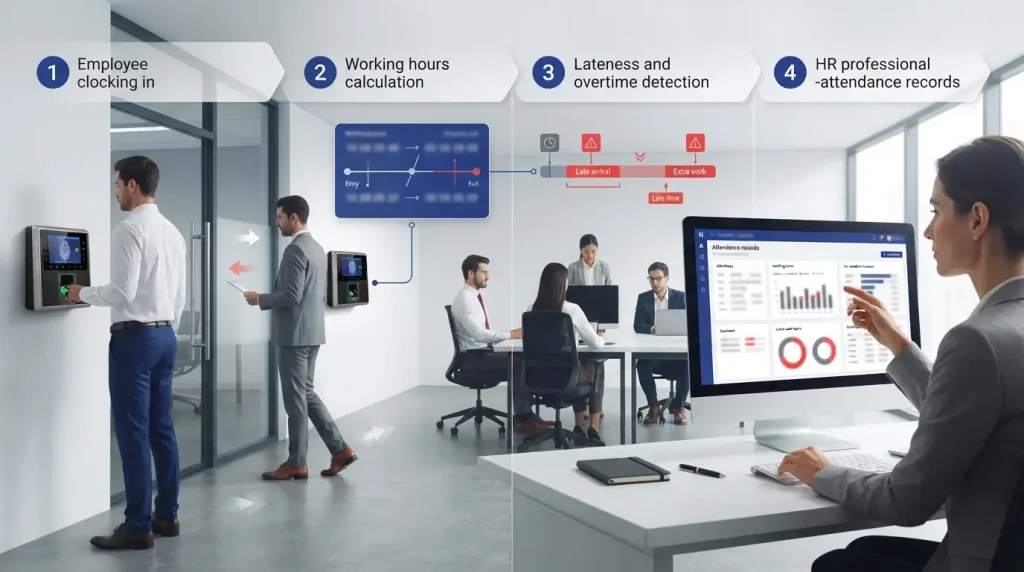
A thumbprint machine captures clocking events, while the connected attendance software can use those events to calculate attendance-related information.
Info-Tech states that its HR system calculates working hours, overtime and lateness after biometric clock-ins are synchronised.
eSoft similarly describes automatic calculation of total work time, late arrival, early departure, leave and overtime.
For SMEs, this is where a thumbprint machine becomes more useful than a simple electronic replacement for a punch card.
How Are Working Hours Calculated From Clocking Records?
Attendance software generally needs more than a fingerprint scan. It needs to compare clocking events against rules or schedules configured for the employee.
For example, an 8:57 a.m. clock-in means little on its own.
Whether it represents an on-time arrival, an early arrival or a late arrival depends on the employee’s scheduled start time and the company’s attendance rules.
This is why HR should ensure that employee schedules and attendance settings are maintained properly.
Otherwise, even accurately captured clocking data can produce results that need correction.
How Can HR Identify Lateness and Early Departure?
When work schedules are connected with attendance records, the system can help flag clock-ins that occur after the expected start time or clock-outs that occur before the expected end time.
eSoft specifically lists late arrival and early departure among the items its attendance system can calculate.
These records can help employers spot patterns, but they should be treated as information requiring appropriate HR review rather than as an automatic disciplinary verdict.
How Can Attendance Records Support Overtime Review?
A system can also compare clocking information against normal working schedules to assist with overtime calculation or review.
Rockbell lists overtime monitoring and OT application and approval among its attendance capabilities, while Info-Tech includes overtime in the calculations performed by its connected HR system.
HR should still check whether overtime was authorised and whether the underlying attendance record is correct before relying on the information for payroll processing.
4. How Can a Thumbprint Machine Support Employee Shifts and Work Schedules?
Not every business operates on a simple Monday-to-Friday office schedule.
Factories, retail operations, F&B businesses, service companies and other employers may have employees working different shifts, overnight schedules or changing rosters.
Attendance software connected to biometric devices can support these more complex working arrangements.
Magnet describes multi-shift, overnight-shift and break functionality, while Rockbell includes overnight scheduling and attendance consolidation across different locations.
How Are Different Working Schedules Matched With Attendance?
For attendance calculations to be useful, employees need to be matched with the appropriate schedule or shift.
This allows the system to interpret the clocking data in context.
An employee who starts work at 8:00 a.m. should not necessarily be assessed using the same attendance rules as another employee scheduled to start at 2:00 p.m.
The same principle applies to rest periods, shift changes and approved schedule adjustments.
What Should HR Check When Employees Work Overnight or Variable Shifts?
Overnight shifts can create additional complexity because a shift may begin on one calendar day and end on the next.
Systems such as those described by Magnet, Rockbell and TimeTec include support for overnight or roster-based attendance management.
HR should therefore check that:
- the correct shift is assigned;
- clocking records are matched to the correct work period;
- authorised overtime is distinguished from normal scheduled hours; and
- schedule changes are updated before attendance is finalised.
The machine records the employee’s interaction with the system; the quality of the resulting attendance information still depends on how well the attendance rules are configured.
5. How Does a Thumbprint Machine Help HR Generate Attendance Reports?
A major advantage of moving away from manual attendance is the ability to consolidate clocking data into reports.
Magnet describes reports summarising attendance, leave and punctuality, eSoft provides attendance-report generation and export, while Rockbell lists reports covering areas such as daily attendance, individual attendance, weekly attendance and working-hours summaries.
For HR teams, the report is usually more useful than reviewing hundreds of individual clocking transactions.
What Should an Employee Attendance Report Show?
Depending on the system, useful attendance reporting may include:
- clock-in and clock-out records;
- working hours;
- lateness;
- absence;
- early departure;
- overtime;
- leave-related information; and
- attendance exceptions requiring review.
The purpose is not simply to generate more data.
A useful report should help HR identify which records are normal and which need attention before attendance information is used for payroll or employee-management purposes.
How Can HR Use Attendance Records to Identify Recurring Patterns?
A single late arrival may have a completely different significance from a recurring pattern of lateness.
By keeping attendance records consistently, HR can review behaviour over a relevant period rather than responding only to isolated incidents.
Rockbell’s system, for example, includes reporting and notifications for tardiness and absenteeism.
This is where technology can support better documentation.
It does not, however, decide why an employee was late or what management action is appropriate.
One business owner in MUSTRE’s selected customer evidence described previous staff-management difficulties involving lateness, leave control and work consistency before obtaining HR support.
That experience illustrates why attendance information and the HR process around it need to work together; it should not be interpreted as proof that attendance technology or HR outsourcing automatically changes employee behaviour.
6. Can a Thumbprint Machine Integrate With HRMS and Payroll Systems?
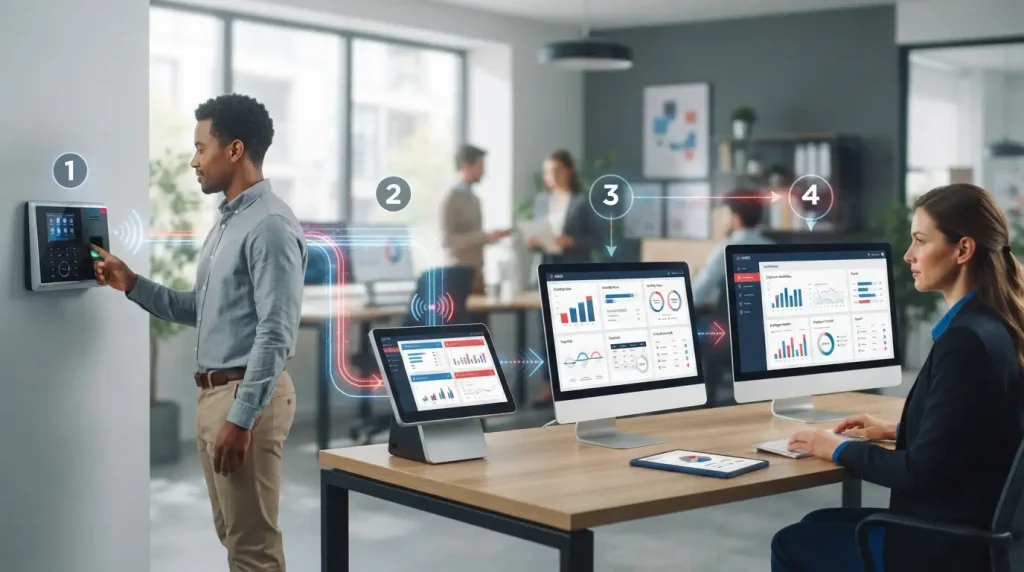
Yes, some thumbprint attendance systems can integrate with HRMS and payroll workflows, but the exact process depends on the device, attendance software and HR system being used.
Info-Tech describes biometric clocking information being synchronised to its HR system, where working hours, overtime and lateness are processed before the data is linked to payroll.
TimeTec similarly describes fingerprint clocking data feeding into HRMS attendance and payroll functions.
Businesses considering this type of integration may also benefit from understanding how a broader human resource management system supports HR administration beyond attendance alone.
How Can Attendance Data Support Payroll Processing?
Attendance information can supply payroll with relevant inputs such as:
- recorded working hours;
- attendance exceptions;
- approved overtime information; and
- other time-related records supported by the employer’s system.
This can reduce the need to repeatedly transfer information from paper forms or separate spreadsheets.
TimeTec describes direct links between biometric attendance, attendance tracking and payroll processing, while eSoft provides payroll export capabilities for its attendance system.
However, integration should not be confused with automatic correctness.
Payroll accuracy still depends on correct schedules, approved records, proper system configuration and HR review.
Which Attendance Records Should HR Verify Before Payroll Is Finalised?
HR should pay particular attention to exceptions that may affect pay-related calculations, such as:
- missing clock-ins or clock-outs;
- unusually long working hours;
- unapproved or disputed overtime;
- late arrivals;
- early departures;
- incorrect shifts;
- approved leave not reflected in the system; or
- amended attendance records.
The objective is to use automation to organise information while keeping human oversight where judgement or verification is required.
7. How Can a Thumbprint Machine Reduce Manual HR Administration?
For a small HR team, attendance administration can involve repetitive work: collecting records, checking attendance, identifying lateness, calculating hours, preparing reports and transferring information for payroll.
Biometric attendance systems can automate parts of this process.
Worksy describes integration with HR software as providing real-time attendance information and reducing administrative burden, while TimeTec describes linking biometric clocking directly with attendance and payroll processing.
This makes the thumbprint machine most useful when it is considered part of a wider Human Resources Management process rather than a standalone device.
Which Attendance Tasks Can Be Automated?
Depending on the system, automation can assist with:
- collecting clocking data;
- calculating working hours;
- flagging lateness;
- calculating or identifying overtime;
- organising shift-related attendance;
- generating attendance reports; and
- transferring selected information to HRMS or payroll.
Info-Tech, eSoft, Rockbell and TimeTec each describe combinations of these functions in their attendance systems.
The benefit is not that HR disappears from the process.
Rather, HR can spend less time reconstructing routine attendance information manually.
Which Attendance Issues Still Need Human Review?
Technology cannot independently resolve every workplace situation.
HR may still need to review:
- why an employee missed a clocking;
- whether overtime was authorised;
- whether a schedule was changed;
- whether leave had been approved;
- whether a device failure affected the record;
- whether an employee disputes the attendance information; or
- what HR process is appropriate when attendance problems continue.
This distinction is especially relevant to SMEs, whose common HR concerns can include attendance, payroll accuracy, leave management, employee discipline, documentation and limited HR manpower.
A thumbprint machine can make the records more structured. It does not replace consistent HR procedures.
8. Can a Thumbprint Machine Support Workplace Access Control and Security?
Some biometric devices serve two functions: time attendance and physical access control.
Magnet describes a setup where registered users can use fingerprint verification for door access, while QuickHR describes biometric authentication as a method of allowing verified identities to access secured areas.
This means a business may use one biometric environment to support both employee attendance and controlled workplace entry, depending on the system selected.
How Can Fingerprint Verification Support Access Control?
An access-control system can check whether the presented fingerprint belongs to a registered user before granting access.
This is different from attendance alone.
An attendance transaction records a work-related clocking event, while access control determines whether the user is authorised to enter a particular area.
Employers should therefore understand which purpose their device is serving and avoid assuming that every thumbprint attendance machine automatically includes door-access functionality.
What Should Employers Consider About Employee Biometric Data?
Biometric information deserves careful handling because it is used to verify an individual’s identity.
The researched systems themselves emphasise security controls around biometric authentication and data.
QuickHR, for example, describes security and data-protection measures within its biometric system.
For this article, the appropriate HR guidance is practical rather than legal: employers should understand what information their chosen system collects, where it is stored, who can access it, how access is controlled and what should happen to an employee’s registered biometric information when it is no longer required.
Detailed legal requirements should be checked against current Malaysian requirements and, where necessary, appropriate professional advice rather than assumed from the attendance machine’s marketing materials.
Who Should Have Access to Attendance Information?
Attendance information should be available to the people who genuinely need it for their work, such as authorised HR, payroll or management personnel according to the company’s internal responsibilities.
The wider principle is straightforward: introducing more technology should not mean giving more people unnecessary access to employee information.
When Is a Thumbprint Machine Suitable for an SME?
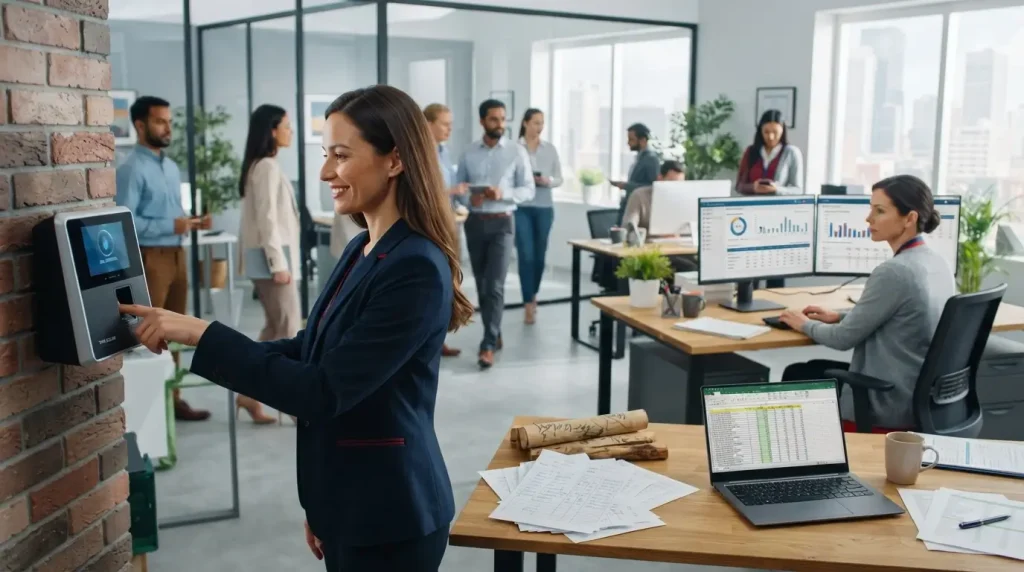
A thumbprint machine may be useful when an employer needs a more structured way to record onsite employee attendance, particularly where manual records are creating unnecessary administrative work or making working hours difficult to verify.
It may be especially relevant when the business needs:
- employee-specific clocking;
- clearer attendance records;
- shift or overtime tracking;
- attendance reports;
- integration with an HR system or payroll workflow; or
- biometric access control.
However, fingerprint attendance is not automatically the best method for every workforce.
QuickHR, for example, supports alternatives including facial recognition, NFC/RFID and mobile clocking, while Info-Tech also provides fingerprint, card and password verification methods.
What Should Employers Consider Before Choosing an Attendance System?
Instead of choosing a system simply because it uses fingerprint technology, an SME should first consider:
- how employees currently work;
- whether employees are office-based, mobile or spread across locations;
- how shifts are organised;
- whether attendance needs to connect with payroll;
- whether door access is required;
- which attendance exceptions HR commonly handles;
- how employee data will be managed; and
- who will review and maintain attendance records.
These questions focus the decision on the HR process, not just the device.
When Might Another Attendance Method Be More Practical?
A thumbprint machine is naturally suited to situations where employees can physically access the reader.
Businesses with remote, mobile or multi-location workforces may also need other options.
Modern attendance platforms can combine fingerprint verification with facial recognition, RFID, mobile applications, GPS clocking or other methods.
QuickHR lists fingerprint, facial recognition, RFID and mobile clocking options, while Rockbell describes smartphone and GPS clocking alongside biometric attendance.
The appropriate system is therefore the one that supports the employer’s actual workforce and HR process—not simply the technology with the longest feature list.
Thumbprint Machines Work Best as Part of a Structured HR Process
A thumbprint machine can give HR teams a more structured way to record employee attendance, verify clock-in and clock-out activity, review working hours, monitor lateness and overtime, manage shifts, generate reports, and support HRMS or payroll processes.
However, the machine itself does not manage employees.
HR still needs clear attendance rules, properly maintained records, consistent review procedures, and human judgement when dealing with missing clockings, disputed attendance, repeated lateness, leave issues, or other staff-management concerns.
For SMEs with limited HR manpower, the practical objective is therefore not simply to install attendance technology.
The stronger approach is to combine reliable attendance records with organised payroll administration, employee documentation, and appropriate HR procedures.
This aligns with MUSTRE’s role in supporting SMEs with structured HR administration, payroll handling, documentation, and practical HR guidance.
If attendance administration, payroll records, staff documentation, or other employee-management processes are becoming difficult to manage internally, explore MUSTRE’s Human Resources Services to understand the HR support available for your business.
MUSTRE provides HR management, payroll, consultation, recruitment, training, and other HR support services for businesses in Malaysia.
Frequently Asked Questions
How Do Biometric Attendance Systems Work?
A biometric attendance system verifies an employee using a physical characteristic such as a fingerprint before recording the attendance transaction.
In a thumbprint-based setup, the fingerprint verification establishes the employee’s identity, while the connected attendance system records clock-in or clock-out information.
The attendance software may then use those records for functions such as working-hour calculations, lateness review, overtime tracking, shift management, reporting, or integration with other HR processes.
Can a Thumbprint Machine Integrate With Payroll Software?
Some thumbprint attendance systems can connect with HRMS or payroll workflows so attendance information does not have to be transferred manually between separate records.
The exact integration depends on the thumbprint device, attendance software, and payroll system being used.
HR should still review attendance exceptions and confirm relevant records before payroll is finalised rather than assuming that integration makes every calculation automatically correct.
Can a Thumbprint Machine Completely Prevent Buddy Punching?
A thumbprint machine can reduce the opportunity for buddy punching because employees normally need to verify their own registered fingerprint instead of using a transferable attendance card.
However, it is better not to describe biometric attendance as completely eliminating attendance abuse.
Employers still need proper attendance procedures, system administration, record review, and appropriate HR processes when irregularities occur.
What Should Employers Consider When Handling Biometric Attendance Data?
Employers should understand what biometric and attendance information their system collects, how the information is stored, who can access it, and what internal controls are used to manage that access.
They should also consider how employee records are handled when someone leaves the organisation or no longer needs access to the system.
Because the supplied article evidence does not provide verified current Malaysian legal requirements specifically governing biometric attendance, detailed legal claims should not be made in this article.
The brief specifically requires compliance-aware guidance without presenting the content as legal advice.