
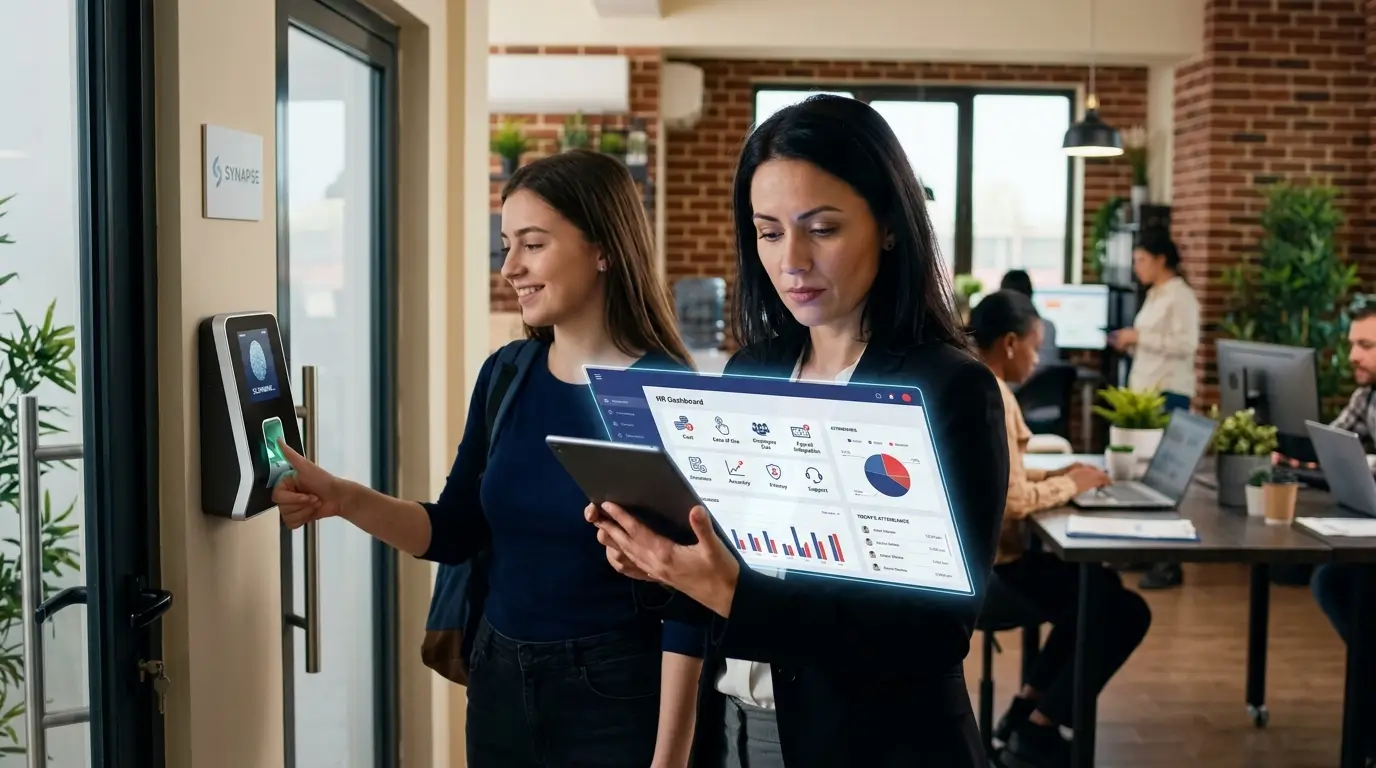
Key Takeaways
Q1: Is thumbprint attendance suitable for startups?
Yes, thumbprint attendance is suitable for startups with office-based, retail, clinic, warehouse, or branch teams that need accurate attendance records, payroll support, and clearer HR documentation.
Q2: How does thumbprint attendance work?
Thumbprint attendance works by registering an employee’s fingerprint template, verifying it during clock-in or clock-out, and recording attendance data for HR, payroll, overtime, and reporting.
Q3: What should startups do before choosing a system?
Startups should check work arrangements, payroll integration, Malaysian HR compliance, scanner reliability, scalability, biometric data privacy, and total ownership cost before buying a thumbprint attendance system.
Thumbprint attendance helps startups replace manual timesheets with biometric clock-in records that support payroll accuracy, workforce discipline, and structured HR compliance from the early stage of business growth.
For many Malaysian startups and SMEs, attendance management often starts with WhatsApp messages, paper timesheets, Excel files, or verbal updates.
This may feel manageable when the team is small, but problems usually appear once the business starts hiring more employees, managing shifts, calculating overtime, or preparing payroll records.
A thumbprint attendance system can make daily clock-in and clock-out records more consistent. It helps reduce buddy punching, missed attendance entries, late disputes, and payroll mistakes. A reliable thumbprint machine can also make attendance verification faster for employees who work from a fixed location.
However, it is not automatically the best system for every startup.
A company with remote employees, field staff, multiple branches, or flexible work arrangements may need a different setup, such as mobile attendance, GPS tracking, cloud HRMS, or a hybrid biometric system.
This is where proper HR guidance matters. MUSTRE, also known as MTR Solutions Sdn Bhd, supports SMEs with HR administration, payroll services, recruitment, corporate training, and compliance-focused HR consulting.
For startups without an in-house HR department, choosing the right attendance workflow is not just about buying a device.
It is about building a system that supports salary calculation, leave records, overtime, Employment Act 1955 documentation, EPF, SOCSO, EIS, LHDN, and employee accountability.
Hire us!
Elevate your business with tailored HR solutions, including compliance, talent acquisition, culture building, and streamlined processes. Unlock success today!

One business owner, Noor Ariffshah, shared that MUSTRE’s HR services significantly reduced the burden of managing staff and HR matters, allowing more focus on running the business.
That is the real purpose of a good attendance system: less admin confusion, better records, and stronger HR control.
What Is Thumbprint Attendance and Why Does It Matter for Startups?
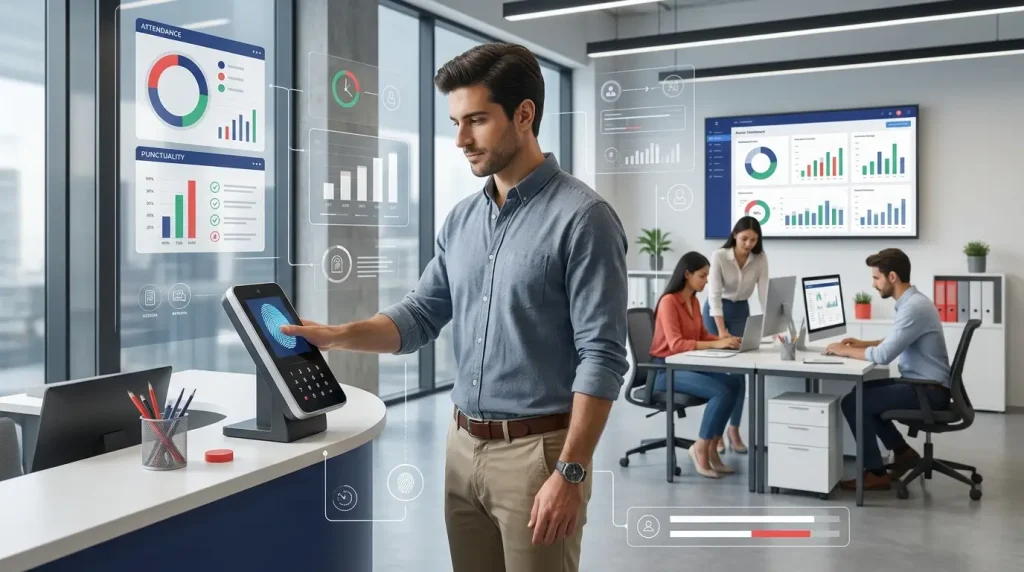
Thumbprint attendance is a biometric time-tracking method that helps startups capture reliable employee clock-in records for payroll, HR documentation, attendance discipline, and compliance planning.
A properly configured biometric thumbprint system verifies each employee using unique fingerprint characteristics, giving businesses a more dependable way to record attendance than manual methods.
How a Thumbprint Attendance System Works in a Workplace
A thumbprint attendance system verifies an employee’s fingerprint template during clock-in or clock-out, then stores the attendance record inside a device, cloud system, or HR software.
How Thumbprint Attendance Records Clock-In and Clock-Out Data
When an employee places a finger on the thumbprint machine, the system compares the fingerprint pattern with the registered biometric template.
If the template matches, the system records the employee name, staff ID, date, time, and attendance status.
This data can later be used by HR or payroll teams to check lateness, early departures, missed punches, overtime, shift attendance, and absenteeism.
For startups, this helps reduce dependence on memory, manual forms, or informal staff updates.
Fingerprint Template Registration
Before using the system, each employee must register their fingerprint.
During registration, the biometric thumbprint data is converted into a digital template that the system can use for future verification.
The system does not need to store a full fingerprint image.
Instead, it normally converts the fingerprint into a biometric template that can be matched during future attendance verification.
Why the Thumbprint System Stores Biometric Templates Instead of Raw Fingerprint Images
Biometric templates help reduce privacy risk because the thumbprint system uses pattern data for verification, not a full fingerprint image for general viewing.
Why Startups Use Thumbprint Attendance Instead of Manual Timesheets
Startups use thumbprint attendance because manual timesheets can create payroll disputes, inaccurate working-hour records, buddy punching, and unnecessary HR administration.
A thumbprint machine can simplify this process by recording employee attendance directly when staff arrive or leave the workplace.
Reducing Buddy Punching with a Biometric Thumbprint System
Buddy punching happens when one employee clocks in or out on behalf of another employee.
This is easier with punch cards, paper records, and shared login details.
A biometric thumbprint system makes proxy attendance more difficult because employees must verify their own fingerprint before their attendance is recorded.
A thumbprint attendance system therefore gives employers a stronger verification method than manual attendance records.
Creating More Accurate HR and Payroll Records
Accurate attendance records are important when calculating salary, overtime, unpaid leave, late deductions, allowances, incentives, and shift claims.
For SMEs without a full HR department, clean attendance data can reduce payroll mistakes and help business owners make decisions based on proper records.
Is Thumbprint Attendance Suitable for Startups?
Thumbprint attendance is suitable for startups when employees work from fixed locations and the company needs structured attendance records for payroll, HR control, and compliance.
When a Thumbprint Attendance System Is a Good Fit for Small Teams
A thumbprint attendance system works well for startups with physical teams that report to the same workplace, follow fixed schedules, and need reliable daily attendance records.
Fixed Office, Retail, Clinic, Warehouse and Branch-Based Teams
A thumbprint attendance system is practical for startups operating from an office, retail shop, clinic, warehouse, training centre, factory, or branch location.
In these environments, employees usually report to the same place daily, making a physical thumbprint machine easy to manage.
It is also useful when a business has shift workers, front-desk staff, administrative employees, customer service teams, or operations staff who must be present at specific times.
When Thumbprint Attendance May Not Be the Best Choice
Thumbprint attendance may not be ideal when employees work remotely, travel often, serve clients outside the office, or move between multiple locations daily.
Remote Teams, Field Staff and Multi-Location Operations
For startups with remote workers, sales teams, technicians, delivery teams, or employees who travel between branches, a fixed thumbprint machine may create attendance gaps.
In this case, the company may need mobile attendance, GPS-based check-ins, cloud HRMS, or a hybrid setup.
The best system depends on how employees actually work, not only on the price of the device.
7 Checks Before Choosing a Thumbprint Attendance System
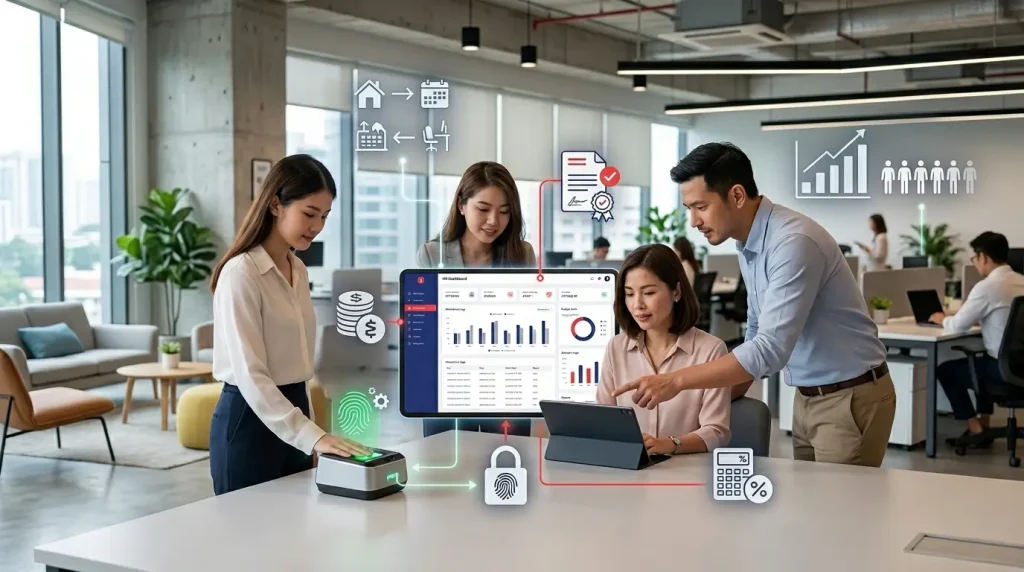
Startups should evaluate work arrangement, payroll integration, compliance needs, scanner reliability, scalability, data privacy, and total cost before choosing a thumbprint attendance system.
Check 1: Does the Thumbprint Attendance System Match Your Startup’s Work Arrangement?
The first check is whether your team works from one fixed location, multiple branches, client sites, remote locations, or flexible work environments.
Office-Based Staff vs Remote or Field Employees
If most employees work in one office, a physical thumbprint machine may be enough.
If the team includes field staff, remote workers, promoters, drivers, or technicians, a fixed device alone may not capture complete attendance records.
Startups should map the real work arrangement first.
This includes working hours, rest days, shift patterns, remote work policy, overtime practices, and branch movement.
The attendance system should support the workflow, not force employees into an impractical process.
Check 2: Can It Integrate with Payroll and HR Records?
A good thumbprint attendance system should connect attendance data with payroll records, leave tracking, overtime calculation, and employee management reports.
Overtime, Late Arrival, Paid Leave and Unpaid Leave Tracking
Attendance data becomes more valuable when it supports payroll calculation.
For Malaysian SMEs, payroll may involve basic salary, allowances, overtime pay, bonuses, incentives, paid leave, unpaid leave, LHDN deductions, EPF, SOCSO, EIS, zakat, PTPTN, and Tabung Haji.
If attendance data must be exported manually, cleaned in Excel, and re-entered into payroll, the startup may still face human error. Integration can reduce double work and improve payroll accuracy.
Why Payroll Accuracy Matters for SMEs
Payroll mistakes can damage employee trust and create unnecessary disputes. For startups, even a small salary error can affect morale, cash flow planning, and employer credibility.
Check 3: Does It Support Malaysian HR Compliance?
Thumbprint attendance should support Malaysian HR compliance by producing clear working-hour records, attendance evidence, and documentation for payroll or employment disputes.
Attendance Records, Working Hours and Employment Act 1955 Documentation
Startups in Malaysia should treat attendance records as part of proper HR documentation. Clear records can help support working hour management, overtime verification, leave administration, disciplinary processes, and internal HR audits.
A thumbprint attendance system does not replace HR policies.
The company still needs clear attendance rules, overtime procedures, leave processes, and employee communication.
The company still needs proper attendance rules, lateness policies, overtime approval procedures, leave processes, and employee communication.
Without policy clarity, even a good device can create confusion.
Why Startups Should Keep Clear Attendance Evidence
Clear attendance evidence helps employers and employees avoid disputes about lateness, absenteeism, overtime, unpaid leave, and working hours.
Check 4: Is the Thumbprint Machine Reliable in Your Workplace?
Fingerprint scanner reliability depends on workplace conditions, employee finger condition, device quality, maintenance, and how the thumbprint machine is installed.
Common Thumbprint Attendance Problems in Daily Use
Some employees may experience scan failure due to wet fingers, dusty fingers, oily skin, calloused skin, dry skin, cuts, or poor finger placement.
This is common in manufacturing, food service, maintenance, construction, cleaning, and industrial environments.
Startups should test the scanner before full rollout.
The system should also offer backup verification such as PIN, card, face recognition, supervisor approval, or mobile attendance where needed.
Wet Fingers, Dust, Calloused Skin and Device Placement
A device placed near a wet area, dusty entrance, or high-traffic zone may produce more failed scans. Proper placement and regular cleaning can improve accuracy.
A well-maintained biometric thumbprint scanner is more likely to produce consistent verification results during daily use.
Check 5: Is the Thumbprint Attendance System Scalable as Your Startup Grows?
A scalable thumbprint attendance system should support new employees, departments, branches, work schedules, reports, and payroll requirements as the startup expands.
Adding New Employees, Departments and Branches
A startup may begin with 5 employees but grow to 20, 50, or more. The system should make it easy to add staff, assign departments, manage shifts, export reports, and support new business locations.
If the system is too basic, the company may need to replace it later. This creates extra cost, retraining, data migration issues, and HR disruption. Startups should choose a system that matches both current needs and near-future growth.
Check 6: Are Employee Privacy and Biometric Thumbprint Data Properly Managed?
Startups must handle biometric thumbprint data responsibly by explaining collection purpose, limiting access, securing storage, and setting clear HR policies for data use.
Consent, Data Storage, Access Control and Retention Policy
Before implementing thumbprint attendance, employers should explain why biometric attendance is used, what data is collected, who can access it, how long it is retained, and what happens when an employee resigns.
This communication protects trust. Employees are more likely to accept the system when they understand that attendance data is used for time tracking, payroll accuracy, and workplace discipline—not unnecessary monitoring.
Check 7: What Is the Real Cost Beyond the Thumbprint Machine Price?
The real cost of thumbprint attendance includes device price, software, installation, setup, training, maintenance, data backup, integration, and vendor support.
Hardware, Software, Installation, Maintenance and Vendor Support
A low-cost thumbprint machine may look attractive, but startups should check whether it includes cloud access, reporting features, payroll export, technical support, warranty, user training, and future upgrades.
The cheapest option is not always the most cost-effective option. A reliable system should save time, reduce disputes, and support payroll accuracy. If it creates more manual admin work, the startup may lose more money later.
Why Cheap Attendance Devices Can Become Expensive Later
Cheap devices can become expensive when they lack support, integration, backup, accurate reporting, or proper maintenance options.
Benefits of Thumbprint Attendance for SMEs and Startups
Thumbprint attendance gives SMEs and startups more accurate attendance records, better payroll control, stronger employee accountability, and clearer HR documentation.
Improves Payroll Accuracy and Reduces Manual HR Work
Thumbprint attendance improves payroll accuracy by turning daily clock-in and clock-out records into structured data for salary and overtime calculation.
When attendance records are captured consistently, HR teams can reduce manual checking.
This helps when processing late arrivals, absences, unpaid leave, shift attendance, overtime hours, and monthly payroll.
For startups without an internal HR department, a properly configured thumbprint attendance system can save many hours of administrative work.
Supports Better Workforce Discipline and Accountability
Thumbprint attendance supports workforce discipline because employees know that attendance records are verified, time-stamped, and less open to manipulation.
A biometric thumbprint verification process also makes it more difficult for one employee to clock in or out on behalf of another.
This creates clearer expectations around punctuality, attendance habits, break time, shift reporting, and absence tracking.
It also helps managers identify attendance trends before they become bigger HR issues.
Helps Business Owners Make Faster HR Decisions
Business owners can make faster HR decisions when attendance records are organized, accessible, and linked to workforce performance patterns.
For example, a startup founder can review repeated lateness, absenteeism, overtime dependency, or manpower gaps.
Data from a thumbprint attendance system can support decisions about hiring, scheduling, training, disciplinary action, and workload planning.
Creates Transparent Attendance Records for Employees and Employers
Transparent attendance records help employees and employers refer to the same data when discussing salary, overtime, leave, lateness, and attendance disputes.
This is important because HR disputes often happen when records are unclear. A proper thumbprint attendance system gives both sides a more reliable reference point.
Challenges of Thumbprint Attendance and How Startups Can Solve Them
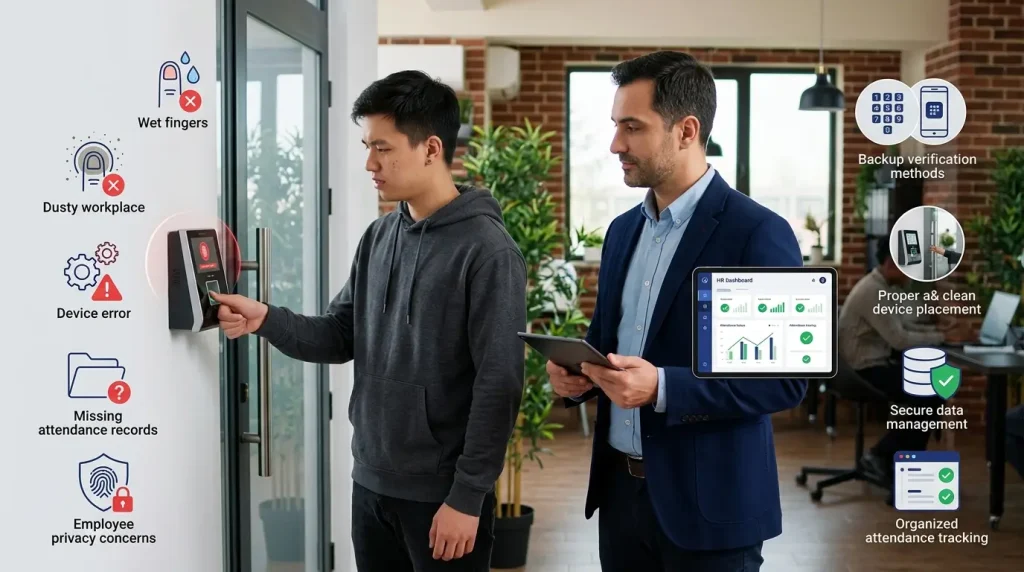
Thumbprint attendance can create challenges such as scan failure, privacy concerns, weak integration, downtime, and backup issues if startups choose the wrong system.
Fingerprint Scan Failure on a Thumbprint Machine
Fingerprint scan failure happens when the thumbprint machine cannot read or match an employee’s fingerprint clearly during attendance verification.
Practical Fixes for Scanner Accuracy Problems
Startups can reduce scan problems by cleaning the thumbprint machine regularly, placing it in a suitable location, training employees on finger placement, and registering more than one finger per employee.
For higher-risk environments, backup options such as PIN, card, mobile check-in, or supervisor approval may be necessary.
Employee Concerns About Biometric Thumbprint Data
Employee concerns about biometric thumbprint data are understandable because fingerprints are personal identifiers and must be handled with proper HR communication.
How Clear HR Policies Build Trust
A clear attendance policy should explain the purpose of biometric collection, how the data is used, who can access it, how disputes are handled, and how data is managed after resignation.
This helps employees understand that the system is for attendance accuracy and payroll administration, not excessive workplace surveillance.
Poor Integration with Payroll or HRMS
Poor integration happens when attendance data cannot flow smoothly into payroll, leave records, HR reports, or employee management systems.
Why Standalone Thumbprint Machines Can Create Extra Admin Work
A standalone thumbprint machine may only export raw attendance logs.
HR may still need to calculate overtime, check leave records, correct missing punches, and prepare payroll manually.
Before buying, startups should ask whether the thumbprint attendance system can export reports in usable formats and whether it can support payroll processing requirements.
Device Downtime, Internet Issues and Data Backup
Device downtime and internet issues can interrupt thumbprint attendance tracking when the system depends on hardware, cloud access, or unstable connectivity.
Why Cloud Sync and Offline Backup Matter
A good thumbprint attendance system should allow offline clock-ins and sync the data once the connection is restored.
It should also provide backup options to prevent loss of attendance records.
For startups, data continuity matters because missing records can affect salary calculation, overtime verification, and employee trust.
Thumbprint Attendance vs Face Recognition vs RFID: Which System Should Startups Choose?
Startups should choose thumbprint attendance, face recognition, RFID, or a hybrid attendance system based on cost, workplace environment, employee movement, hygiene needs, and payroll requirements.
Thumbprint Attendance for Cost-Conscious Startups
Thumbprint attendance is often suitable for cost-conscious startups with fixed workplaces, small teams, and basic attendance tracking requirements.
A thumbprint machine is practical, familiar, and usually easier to implement than more advanced systems.
However, it requires physical contact with the scanner and may face accuracy issues in certain workplace environments.
Face Recognition for Contactless and High-Traffic Workplaces
Face recognition is suitable for workplaces that need contactless verification, faster movement, and reduced physical contact with shared devices.
It may be better for larger teams, high-traffic entrances, or workplaces concerned about hygiene. However, startups should consider lighting conditions, camera quality, cost, employee privacy, and system accuracy before choosing it.
RFID Attendance for Very Small Trusted Teams
RFID attendance can be useful for very small teams, but it is weaker for preventing buddy punching or card sharing.
Employees can forget, lose, or share cards. This makes RFID easier to manage but less secure than biometric thumbprint verification. For startups with strong trust and simple attendance needs, it may still be acceptable.
Hybrid Attendance Systems for Growing SMEs
Hybrid attendance systems are useful for growing SMEs because they combine thumbprint, face recognition, RFID, PIN, mobile check-in, or cloud attendance options.
A hybrid system gives more flexibility as the company grows. It also helps different departments use different attendance methods based on their work environment.
How MUSTRE Helps Startups Build a Practical Thumbprint Attendance System
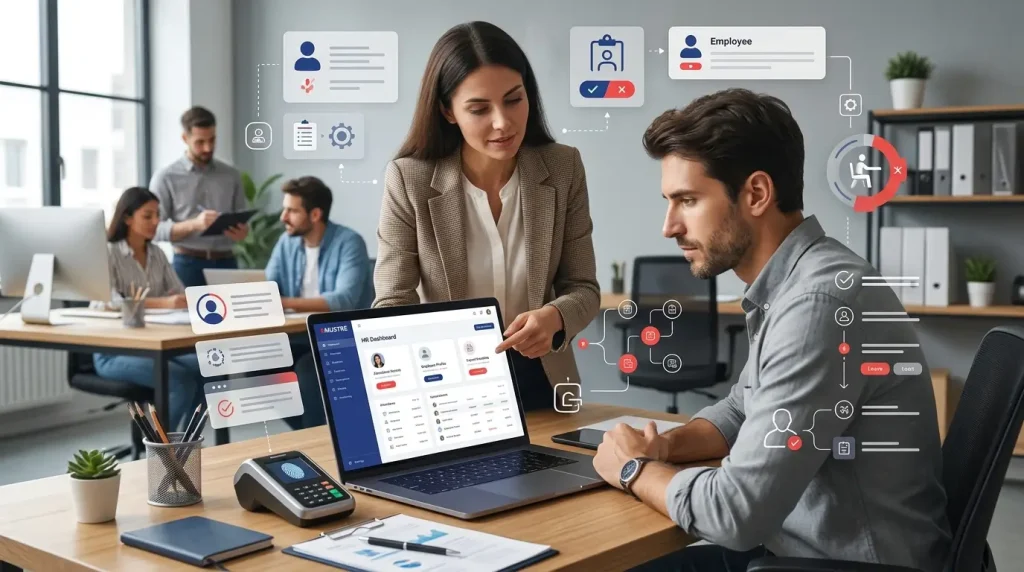
MUSTRE helps startups connect thumbprint attendance records with HR policies, payroll processing, compliance documentation, recruitment support, training, and structured employee management.
A thumbprint attendance system works best when it is supported by proper HR procedures, clear attendance policies, and accurate payroll processes.
HR Management Services for Structured Employee Records
MUSTRE supports startups by helping organize employee records, attendance rules, HR documentation, and compliance-focused workforce management processes.
A thumbprint machine alone cannot solve every HR issue.
Startups still need clear employee files, attendance policies, leave records, overtime procedures, warning letter processes, and internal HR documentation.
For broader HR reading, this topic also fits under MUSTRE’s Human Resources Management category, especially for employers who want to improve people management, payroll discipline, and compliance.
Payroll Services for Salary, Overtime, EPF, SOCSO, EIS and LHDN Accuracy
MUSTRE’s payroll support helps SMEs manage salary components, statutory contributions, deductions, overtime, paid leave, unpaid leave, bonuses, and monthly payroll records.
This matters because thumbprint attendance data must eventually connect to payroll. If clock-in records are accurate but payroll processing is weak, the company can still face salary disputes and compliance problems.
A properly configured thumbprint attendance system can make payroll preparation more efficient when attendance data is structured and easy to review.
Recruitment and Onboarding Support for Growing Teams
MUSTRE supports recruitment and onboarding so startups can hire employees more systematically while building proper HR records from the beginning.
This includes job advertising, resume screening, interview coordination, onboarding support, and employee documentation. For startups, proper onboarding helps employees understand attendance expectations from day one. New employees should also understand how to use the thumbprint machine, when to clock in and out, and what to do if a fingerprint scan fails.
Corporate Training for HR Compliance and Workforce Discipline
MUSTRE provides training that helps employers, managers, and employees understand HR compliance, workplace discipline, performance, and labour law expectations.
Training is useful when introducing a new thumbprint attendance system because employees need to understand the policy, process, accountability, and consequences. A system works better when people understand the rules behind it.
A growing SME may also review whether working with a Human Resources Company is more practical than building every HR process internally from scratch.
Commercial Officer Hiring Services for Companies Hiring Expatriates
MUSTRE assists companies with commercial officer hiring matters, including ESD registration, employment pass processing, dependent passes, pass cancellations, special passes, and student passes.
For companies hiring expatriates, attendance and HR records should be part of a wider employment documentation system.
This helps the business manage employees more professionally and reduce administrative risk. Where appropriate, biometric thumbprint attendance records can form part of a structured workforce documentation process for employees who work from a fixed location.
Startups that do not have a dedicated HR department may also consider outsource hr support to manage payroll, documentation, attendance policy, and compliance more consistently.
Thumbprint attendance can be suitable for startups when the business has fixed-location employees, clear working hours, payroll requirements, and proper HR policies.
Before choosing a thumbprint attendance system, startups should check work arrangement, payroll integration, Malaysian compliance, scanner reliability, scalability, biometric data handling, and total cost.
The right system should reduce admin confusion, not create more HR work. A reliable thumbprint machine should support the company’s actual attendance process rather than becoming another standalone device that requires excessive manual administration.
If your startup needs help building a proper thumbprint attendance, payroll, and HR workflow, MUSTRE can support you with practical guidance before you invest in any system.
Through Human Resources Services, MUSTRE helps SMEs manage employee records, payroll calculation, HR documentation, compliance processes, recruitment support, and workforce training with a structured approach that fits growing businesses.
FAQs About Thumbprint Attendance for Startups
How does thumbprint attendance improve employee time tracking accuracy?
Thumbprint attendance improves accuracy by recording verified clock-in and clock-out times for individual employees. This reduces manual entries, buddy punching, missed records, and disputes over attendance data.
Can I integrate a thumbprint attendance system with payroll software used in Malaysian companies?
Yes.
A thumbprint attendance system may integrate with payroll software or export attendance data for salary, overtime, leave, and deduction calculations. Startups should confirm compatibility with the payroll platform and vendor before implementation.
What are the benefits of using a thumbprint scanner for employee time tracking?
A thumbprint machine can provide faster attendance verification, more consistent employee records, reduced proxy attendance, and better data for payroll and HR reporting.
What are the maintenance costs for biometric thumbprint attendance machines?
Maintenance costs for a biometric thumbprint system can include device cleaning, software licensing, technical support, repairs, cloud subscriptions, system updates, and replacement hardware.
The total cost depends on the vendor and system setup.
What features should I look for in a thumbprint attendance system for factories?
Look for a thumbprint attendance system with reliable scanning, backup verification methods, offline recording, payroll export, shift management, durable hardware, data backup, and support for employees whose fingerprints may be difficult to scan.






One Response